Bridging design and code with AI
- Role:
- Product Designer
- Team:
- Sole designer, 1 developer, with guidance from 2 designers
- Timeline:
- Jan 2026 – Mar 2026
- Project Type:
- Product, Design Systems
Context
The Intuit Design System (IDS) is a shared library of components and tokens used across products. As it evolves, keeping design and code aligned gets harder. I identified gaps, documented them, and carried fixes through so teams relying on the system could stay in sync.
Why this matters
-
Design handoff is less reliable
Handoff breaks down when components aren’t 1-to-1 between prototypes and implementation.
-
Hardcoded values bypass tokens
Hardcoded values in components skip tokens, so global theme updates never reach the UI.
Opportunity
I explored how AI can help designers own more of the implementation path, finding token mismatches, proposing fixes, and shipping lower-risk updates without losing quality.
How small changes scale
I updated 3 core components across the design system. Just one component can have a large systematic impact.
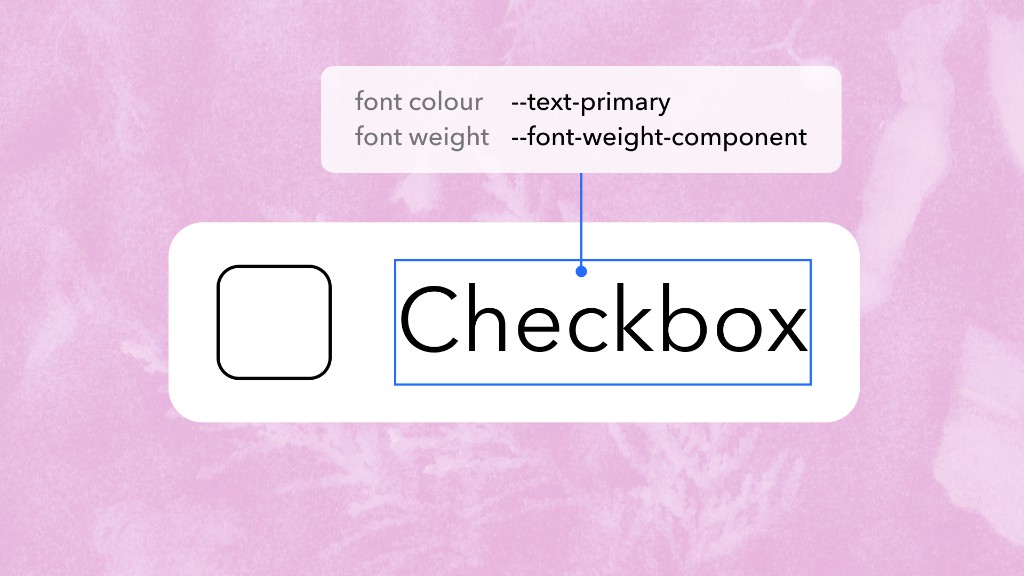
For the checkbox component:
What do token adjustments look like?
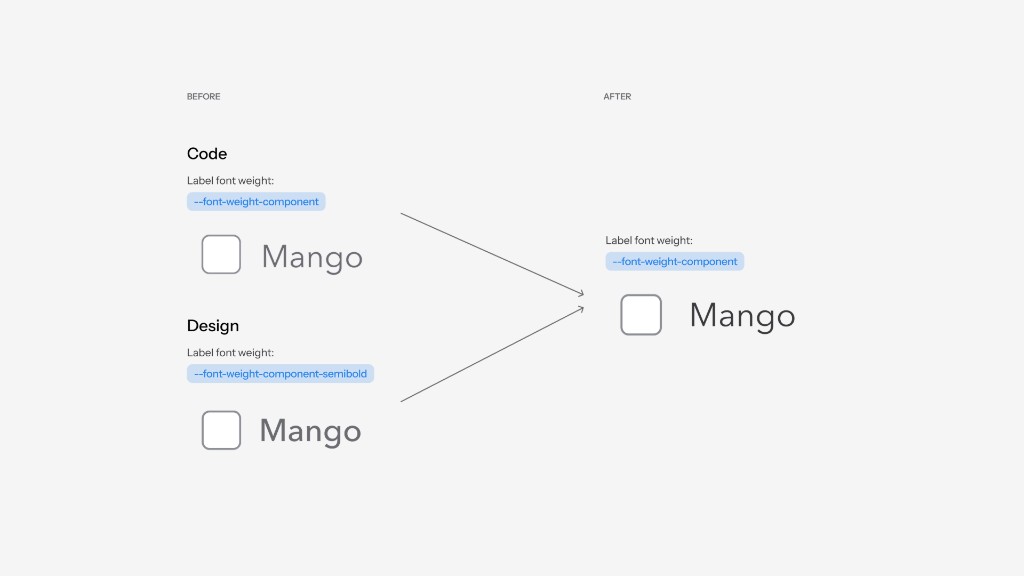
Some token adjustments bring design and code into alignment, like syncing label font weight to the correct component token.
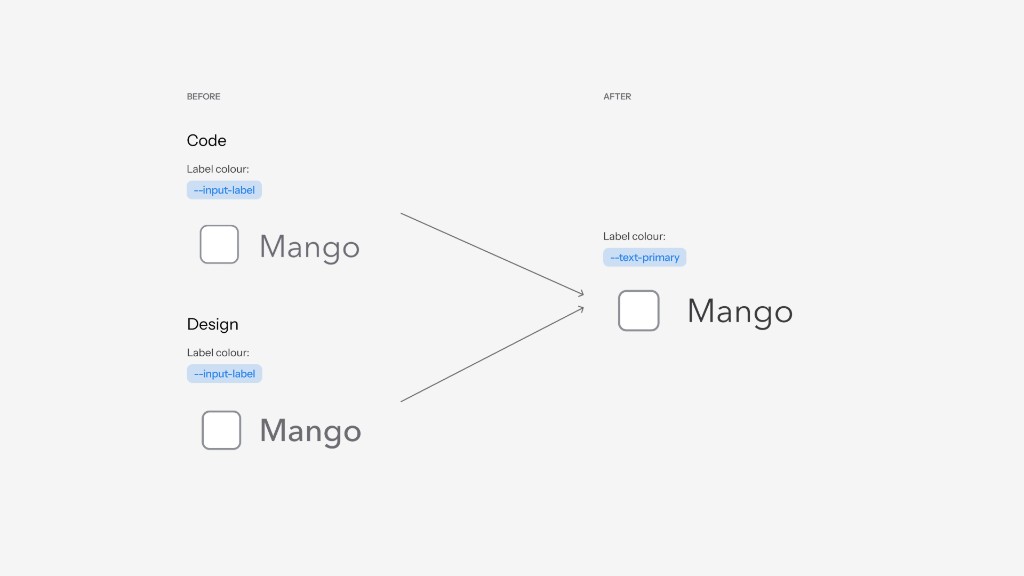
Others update tokens to match documentation for correct usage, even when design and code were already in line with each other, like swapping `--input-label` for `--text-primary` on checkbox labels.
Audit process
Previously, identifying an issue and implementing a fix required separate design and engineering workflows. Below is the workflow that designers can own in the process.
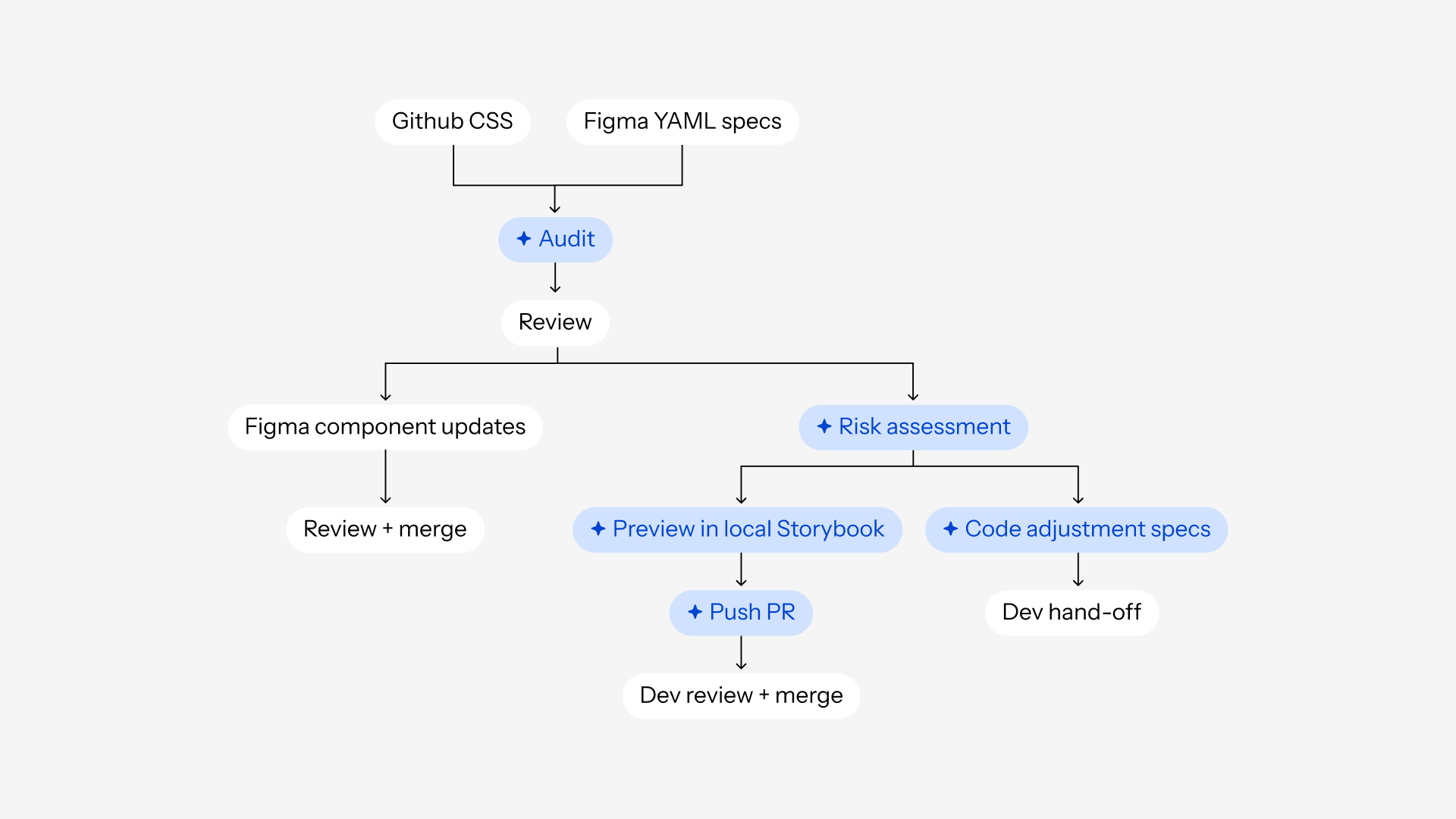
AI didn’t replace review or decision-making.
Instead, it enabled me to participate more directly in implementation, reducing dependency on engineering bandwidth for lower-risk updates while maintaining quality.
Reflection
Nothing is too small. Maintaining the integrity of a design system starts at the token level. By leveraging AI throughout the workflow, I could move beyond spotting gaps and contribute directly to documentation, implementation, validation, and shipping.
Next steps
Since I worked on this project, AI has advanced. I would use Figma MCP to automate the design file updates for me, removing another layer of manual work and streamlining this process further.